The missing darkroom for session photographers on macOS. Tethered capture, fast culling and real RAW development — in a single window that stays out of your way.
Everything unlocked for 60 days. No catalog. No cloud. Your folder is the session.Real photographs from a real session — culled and developed in RawStage.
A grid that opens instantly and never stutters. Rate, flag and filter with one hand on the keyboard. No import, no catalog — point it at a folder and start.
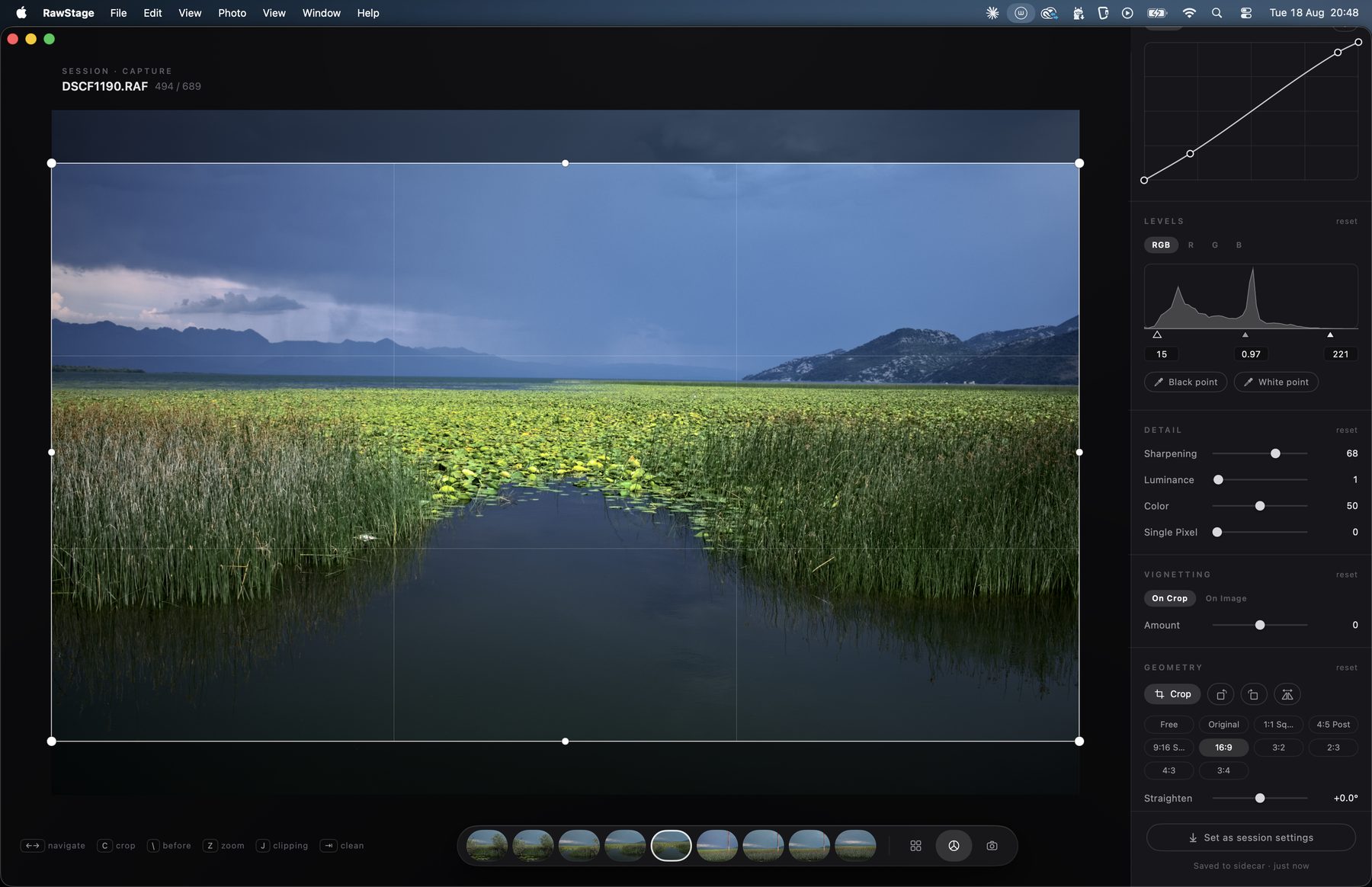
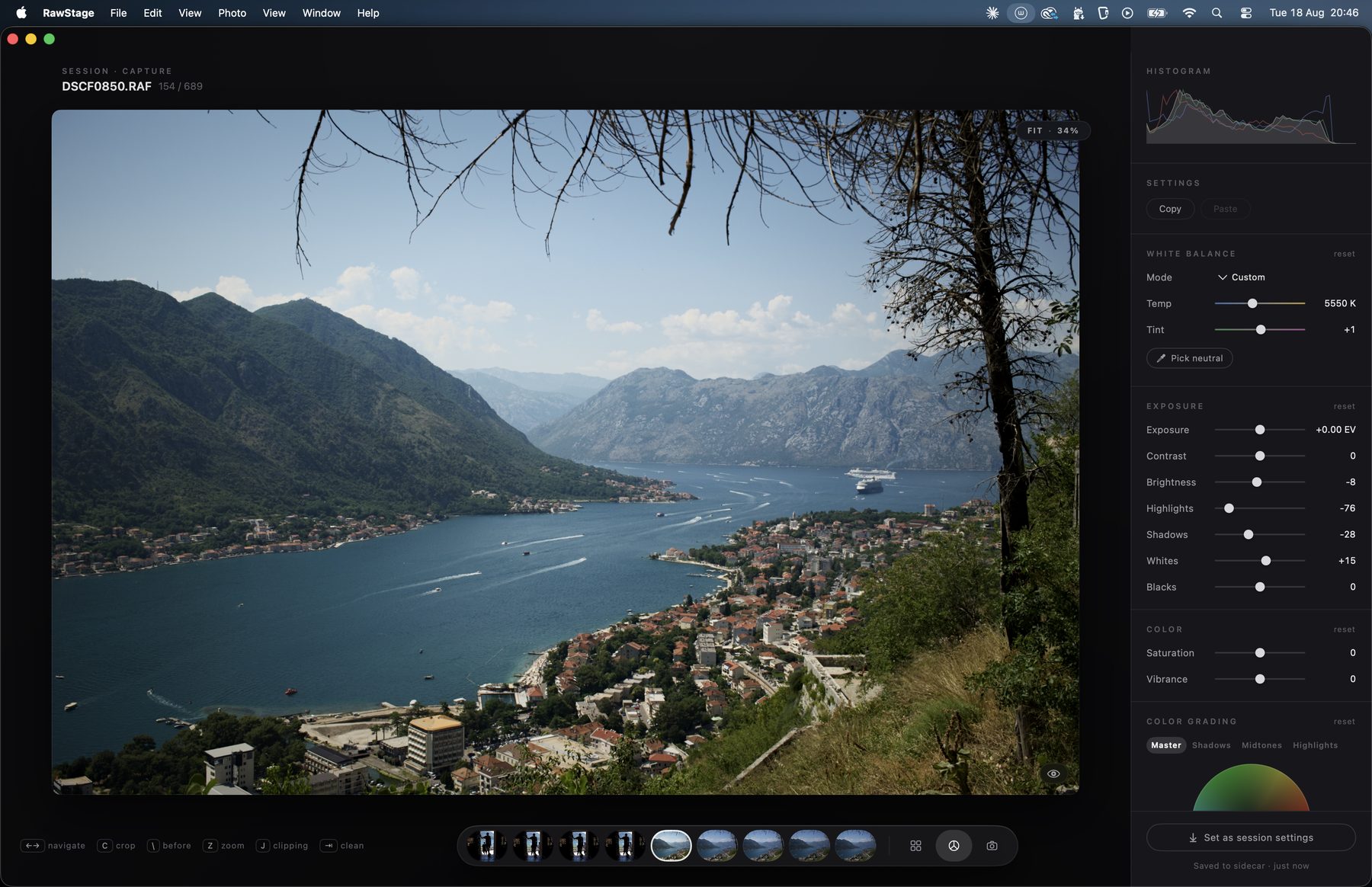
White balance, exposure, curves, levels, colour — the full traditional toolset, rendering as fast as you can move a slider. Every edit lives in a small sidecar file next to your RAW: portable, readable, yours.
Plug in your camera and every frame lands in the session, develops with your session look, and is ready to judge in about a second. Unplug, replug, let the camera sleep — the session doesn't care.
The two above are the Pro colour engine — and it is unlocked in the beta you can download today, for the 60 days this build runs. The first two shots are the free half, and that half stays free.
Because right now you're paying rent on one app that
does too much, or juggling two that each do half. Session work needs
exactly three things — capture, selection, development — and needs
them fast, in one place, without a catalog database between you and
your files.
We're building that. Nothing else.
Native USB tether for Fujifilm X / GFX (tested end to end on a GFX100S — sleep, cable pulls, bursts) and a hot-folder tether for any other brand, which now names the body feeding it. Instant culling grid with keyboard ratings, flags, colour tags and filters. The full classic develop panel: white balance with eyedropper, exposure through blacks, luma and RGB curves with a targeted adjustment tool, levels, clarity, vignette, sharpening, noise reduction, single-pixel removal, crop with corner rotation. A before/after eye on every module. Two studio windows for a second screen: a chrome-free viewer for the client, and a focus check that magnifies to 400%, with focus peaking to show you exactly where the plane of focus fell. Copy and paste settings across a selection. Export to JPEG and PNG.
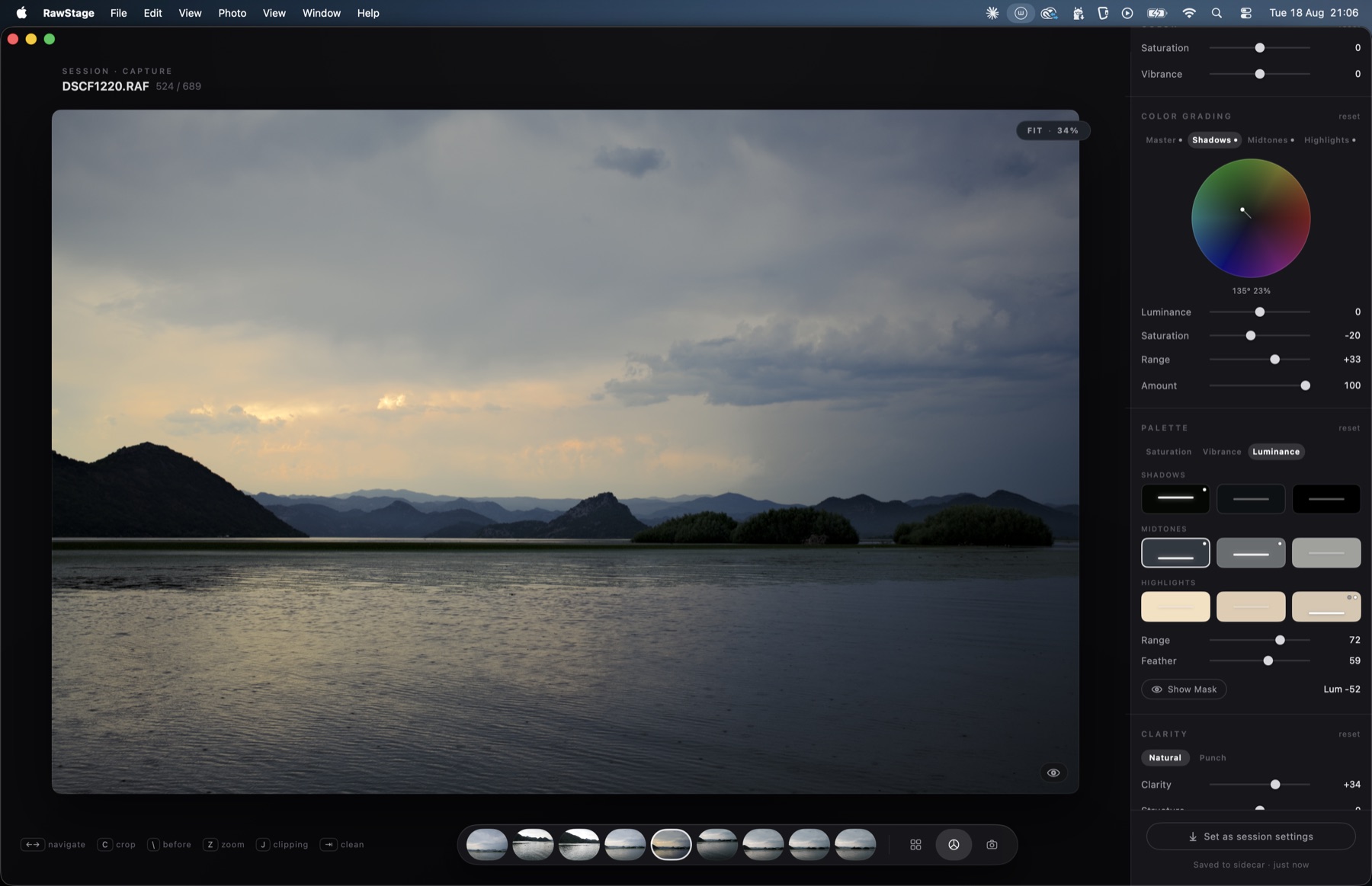
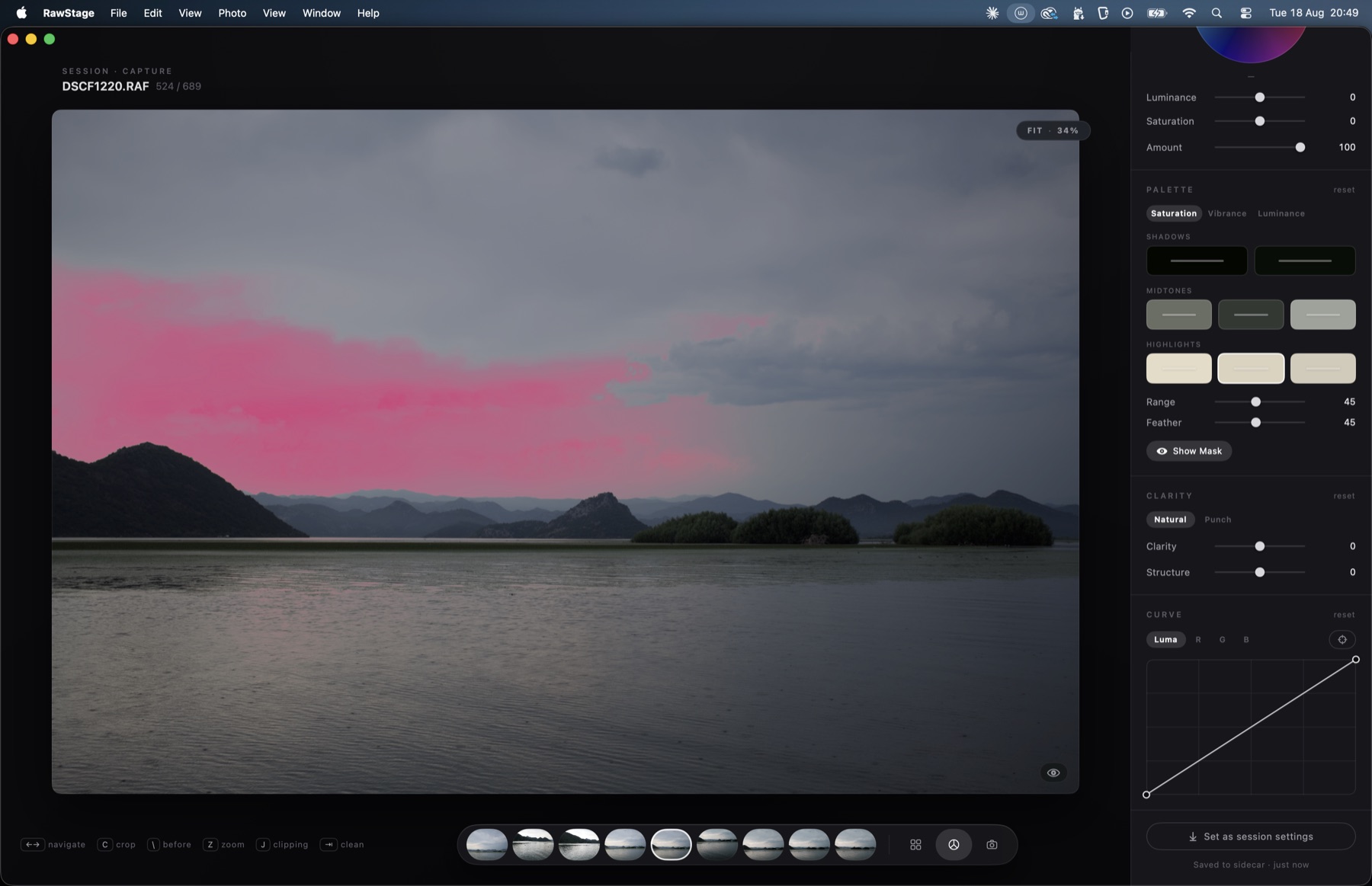
The whole colour engine, open to every tester: four grading wheels with tonal ranges you can move and saturation per band, the PALETTE editor for reaching into one colour without disturbing its neighbours, MOOD for imposing a palette by tonal band, and the professional export formats — TIFF 16-bit, HEIC, print sizing, Display P3 and Adobe RGB. Every beta build carries a 60-day clock; when it runs out the Pro tools lock and everything above keeps working. Nothing you edited is lost: your settings stay in your session, still applied, still exporting.
Masks, MATCH, the LUT engine, film grain and halation — all designed, none of them shipping today. The interface is English for now; Portuguese is on the way. Native tether is verified on a GFX100S, and other recent X / GFX bodies should speak the same protocol — that is part of what this beta is for. Sony, Canon and the rest go through the hot folder, fed by the camera maker's own tether utility, until native support for them is built.
Signed and notarized. Requires macOS 14 (Sonoma) or later. Built and measured on Apple silicon; the binary is universal, so Intel Macs run it too — untested, brave owners welcome. No licence key and nothing to buy: every tool in the app, Pro included, is unlocked while this build's 60-day clock runs. Leave your email and the download unlocks; we'll also tell you when new builds land.
Your email goes to us and nowhere else — build announcements only.
New to it? Getting started
walks through a first session end to end — including the one camera setting a
Fujifilm tether needs.
What helps us most: plug in your camera and tell us whether tether works —
the model name is half the report. Then run one real session end to end:
shoot, cull, develop, export. If anything stutters or surprises you,
Help → Send Feedback is in the app, and
Help → Export Logs attaches the technical story in one file.
Everything below is built, measured and running in this beta — unlocked for every tester while the build's clock runs. When it ships, it is one purchase. Never a subscription.
Master, shadows, midtones and highlights, each with a full-size wheel and its own saturation, lifting in octaves instead of arbitrary units so the same number means the same thing everywhere. The part no one else hands you: the tonal ranges themselves move. Decide where your shadows end and your highlights begin, on this photograph, not on a factory average. Set the dials to neutral and the file comes out bit for bit untouched — the grade is off, not merely quiet.
Pick a colour out of the photograph and move its hue, saturation and luminance, with a range and a feather you control and a mask you can see while you work. Nine colours at once, in a single pass, without bleeding into their neighbours. And MOOD: impose a palette on shadows, midtones and highlights, then composite it like a layer — colour, soft light or screen — for a look that lands in one gesture instead of twenty.
Pro is a one-time purchase. No subscription, ever. Culling, tethering, the studio windows and the classic develop panel stay free — that half of the app is not a trial with a countdown on it. Beta testers get founder pricing at launch: that is the thank-you, and it is the only thing the email address is for.
Next into Pro, in this order: masks — a list of masked adjustments, each with its own before/after eye; MATCH — edit one frame, match the session; a LUT engine with looks built by a working photographer; and film grain and halation that behave like emulsion rather than like noise.
I shoot sessions on a Fujifilm GFX. For years my workflow was a tether utility taped to a subscription editor — two apps, two philosophies, neither built for the way a session actually flows. So I'm building the tool I kept looking for: one window, three rooms, everything measured in milliseconds.
— Frederico van ZellerLeave your email and you'll get a short note when a new beta build lands — and founder pricing when RawStage launches. Nothing else.
No spam. One click to leave. Your email goes nowhere else.